Bring agents together.Keep a shared task in view.
Use an AI agent team for supported work that benefits from multiple software workers sharing context. Give the group a clear task and review the combined result.

Group settings
Listing preparation
- Member
- Listing coordinator
- Member
- Buyer research
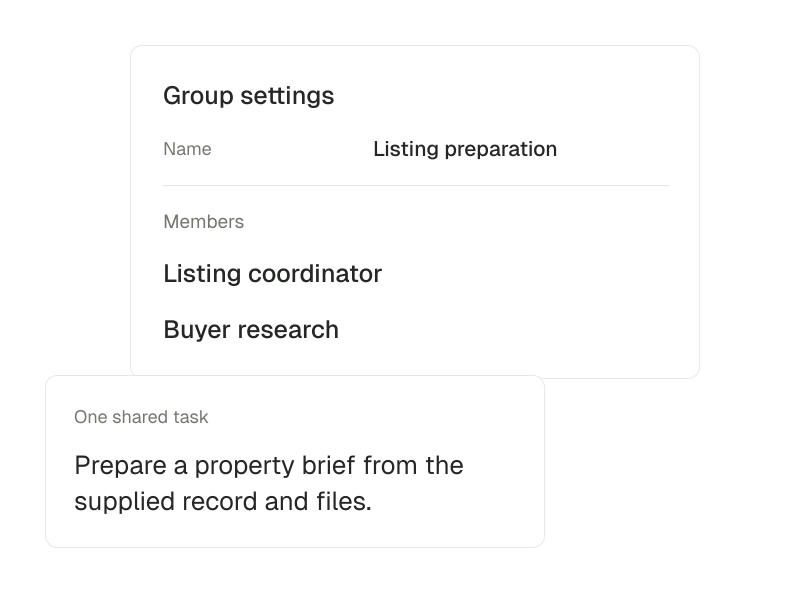
One listing brief. Several perspectives.
A listing task may need property context, research and writing. An agent team gives configured software workers a place to collaborate around that work. The task still needs clear source material and an outcome you can check.
- 01
Name the shared outcome
Describe the deliverable, such as a preparation brief for one property. Specify the facts and source files available to the group.
- 02
Clarify each responsibility
Use configured agents for the parts of the task they are equipped to handle. Keep questions and instructions in the shared context.
- 03
Review the combined work
Check the final brief for conflicting facts, unsupported claims and missing details. More agents do not remove the need for a clear owner of the result.
Inside ai agent teams.
- Let AI agents work together
- Use an agent team when a task benefits from different software workers sharing context.
An AI agent team is separate from your human team or brokerage.
Questions about AI agent teams.
Is an AI agent team the same as my real-estate team?
No. An AI agent team is a group of software workers. A human team or brokerage has its own membership, records and permissions.
Does a group get access to every workspace?
No. Collaboration does not independently grant access to personal, team or brokerage records. The task must use the appropriate workspace and authorized tools.