Give recurring worka deliberate starting point.
Configure supported schedules or webhooks for work you want to revisit. Set a concrete task, supply the required context and return to the activity and result after it runs.

Routine configuration
Weekly work review
Review open follow-ups and prepare a summary of the next actions.
- Schedule
- Every week
- Time
- Monday · 9:00 AM
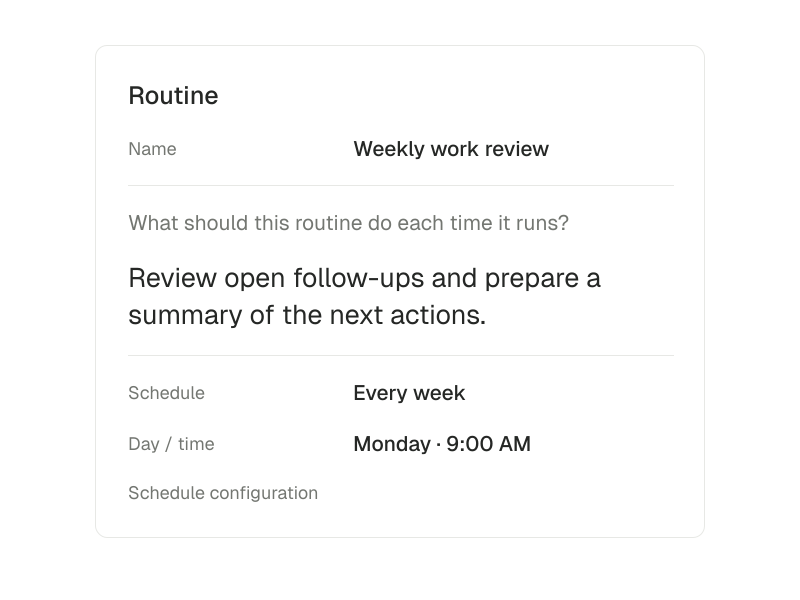
A recurring review of open work.
A useful starting point is a recurring request to review outstanding work in an authorized workspace and prepare a summary. Treat it as a report to inspect, rather than an instruction to contact every client automatically.
- 01
Choose a narrow recurring task
Specify the records to review, the output to prepare and the questions that should be surfaced. A weekly summary is easier to check than a broad instruction to manage everything.
- 02
Configure the supported trigger
Use an available schedule or supported webhook. The routine needs its configured runtime, model, tools and authorized connections; some event triggers are not yet available.
- 03
Review a run before expanding it
Read the activity and output. Adjust the instructions when the result misses context, and verify any external action separately. A saved schedule does not establish continuous execution.
Inside routines.
- Set up recurring tasks
- Set up supported schedules or webhooks for work you want to revisit.
Routines need an available runtime and services. Some event triggers are not yet available.
Questions about Routines.
Is a routine the same as a calendar appointment?
No. A routine starts supported agent work using its configured trigger. Calendar keeps tours and events in view. Neither one independently configures the other.
Will every event trigger be available?
No. Supported schedules and webhooks depend on the configured services and runtime. Some event triggers are not yet available.