Arrive at your practice
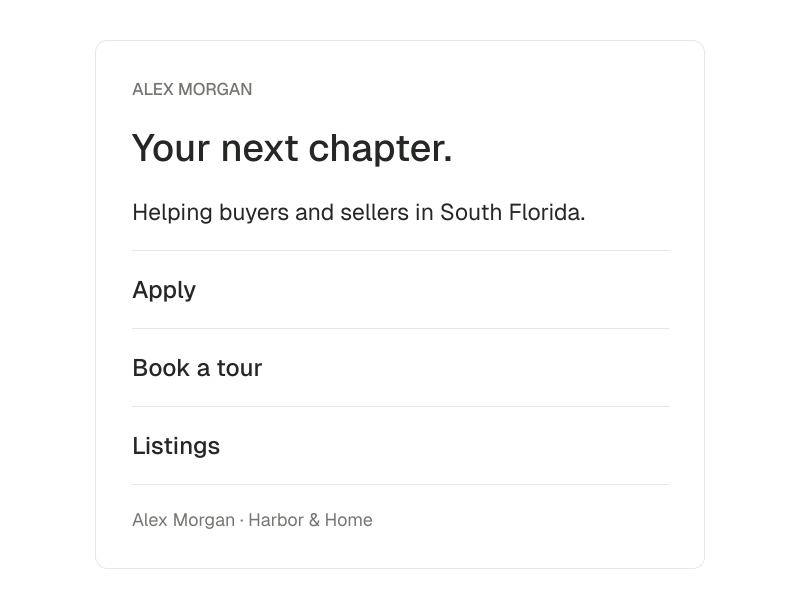
A visitor sees your profile, biography and the listings you choose to feature.
Bring your profile, listings and contact paths together on a public page. Decide what people see and how they can inquire or book a tour.

Alex Morgan · Harbor & Home
Your next chapter.
Helping buyers and sellers in South Florida.
Start with the experience of someone reaching your practice. Then shape the setup behind it.
A visitor sees your profile, biography and the listings you choose to feature.
Offer the inquiry and booking paths you want to show. Booking availability is set separately.
Preview your page, edit its links and decide which profile and listing information to publish.
Add your biography, profile photo and cover photo. Preview the page before sharing it.
Choose featured listings or show your latest active listings when no featured selection is set.
Choose whether to show inquiry and booking links on the public page.
Manage page visibility, listing visibility and your own labeled HTTPS links from settings.
Connect your public presence to an intake form and tour booking. Keep the resulting inquiry and appointment inside your workspace.
Read the documentationYour page must be published to be available publicly. Booking availability is configured separately.