Keep the source close.Find the file behind the work.
Keep uploaded files and their record links in your workspace. Move between personal, team and brokerage files according to your access, and return to the source when you need it.

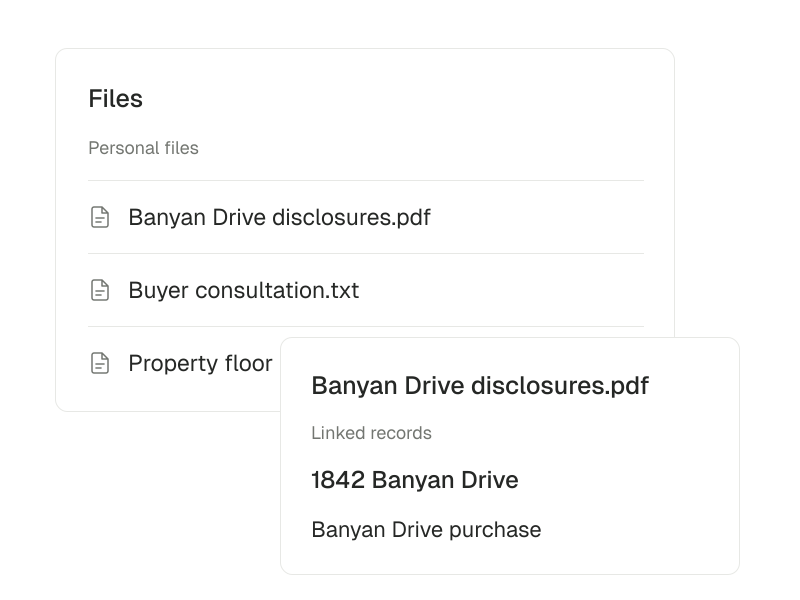
Files · Personal
Banyan Drive disclosures.pdf
- Linked property
- 1842 Banyan Drive
- Linked deal
- Banyan Drive purchase
From source materialto work you can check.
Start with the source. Open the linked record before deciding on the next action.
Source → record → task
Upload the source material
Add supported PDFs and images. Personal files also support plain-text uploads.
- 01
Choose the workspace context
Select personal, team or brokerage files and add material where you have upload permission.
- 02
Connect the file to the record
Keep the relevant person, property or deal linked to the source.
- 03
Review and use the result
Open the original and review any available reading results before using them in the work.
Find the right working context
Browse personal, team and brokerage files where your membership gives you access.
Keep record links with the file
Connect files to the people, properties and deals they support.
Review what was read
See available document-reading results, including extracted details and identified risks, alongside the original file.
Files belong with the work they support.
Keep the source document close to a client or deal. Use a dedicated workspace app when you need to write a new document, and a follow-up when a file needs attention.
Read the documentationWorking with files
Document reading depends on your workspace setup. Brokerage upload permissions are limited to owners and administrators.
Explore Documents